DirectInfo Light gives you the essential waiting-room video experience. If you’d like to show custom image slides (e.g., your doctors, promotions, opening hours), our team can add them for you for an additional fee. Displaying MedReviews is also available as a paid add-on. For full control—including unlimited self-service image uploads between videos and built-in MedReviews—upgrade to Premium.
Register
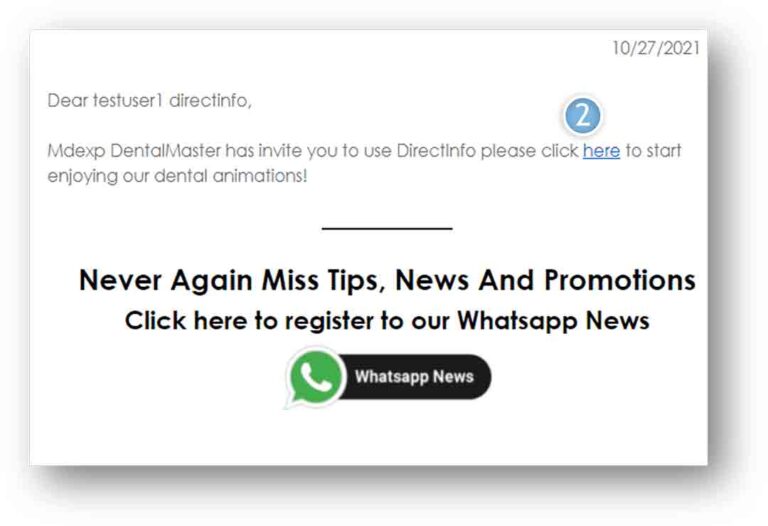
You will get an Email with a Password
Click on the link where is says “click here”.
This will direct you to the Login page.
If next time you don’t remember or want to change your password, click “Forgot Password”.
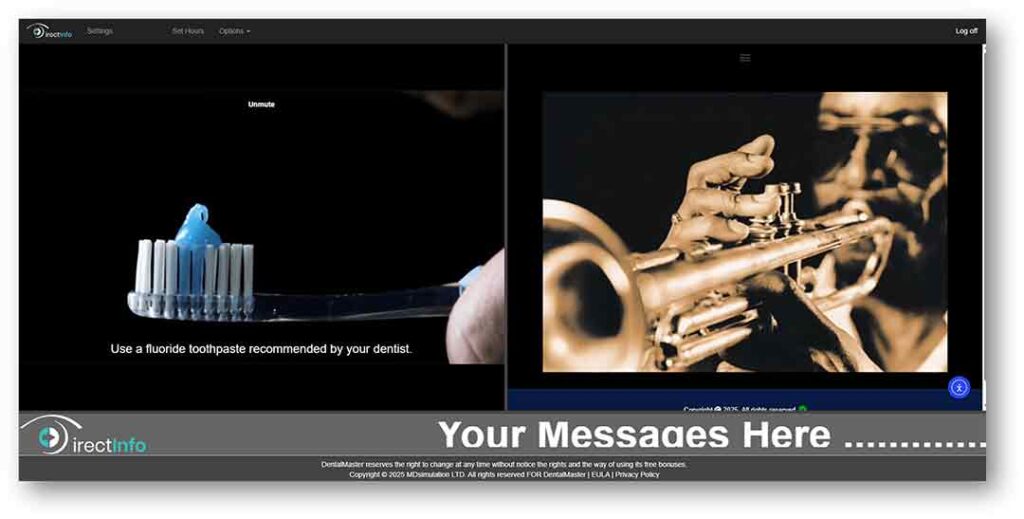
Main Screen
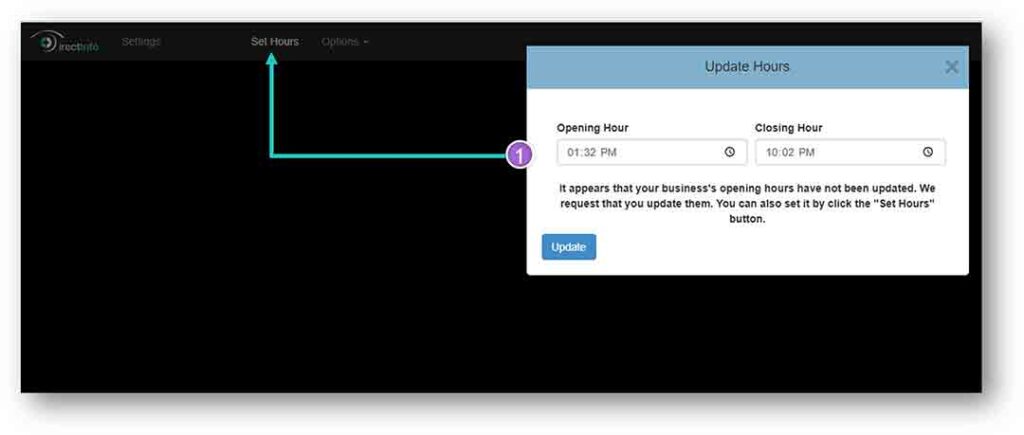
Getting started – Setting Hours
Update the Opening and Closing Hours of the Clinic
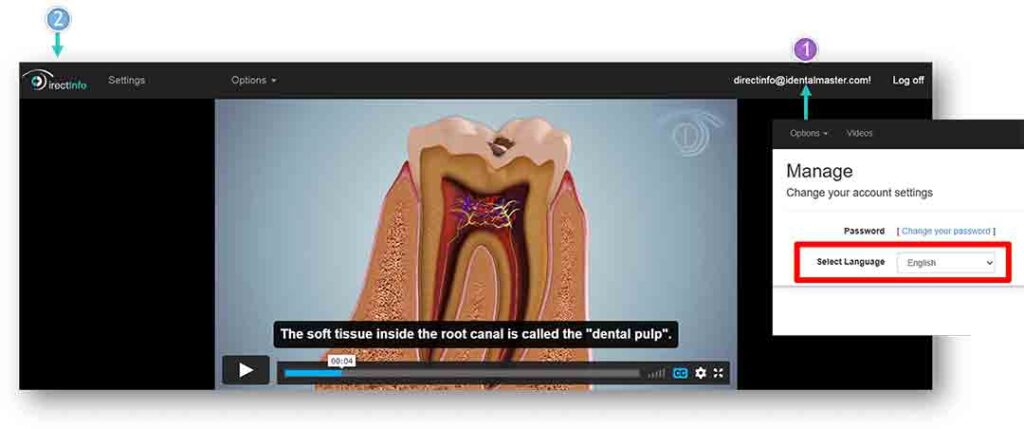
Getting started - Language
Set Interface language by clicking on your email then select language
Click the logo DirectInfo to go back to the Main Screen
Player - Controls
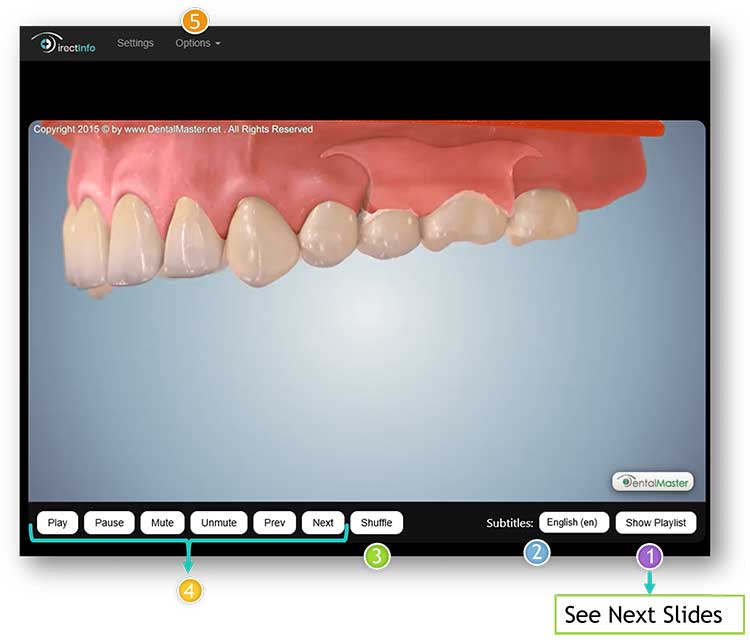
You can control your videos with the many buttons provided:
Show Playlist for more control on playlist, like the order.
Chose subtitles language.
Shuffle the Playlist.
Buttons to control current video.
Hide/Show video controls from the Options Menu
Player - Playlist
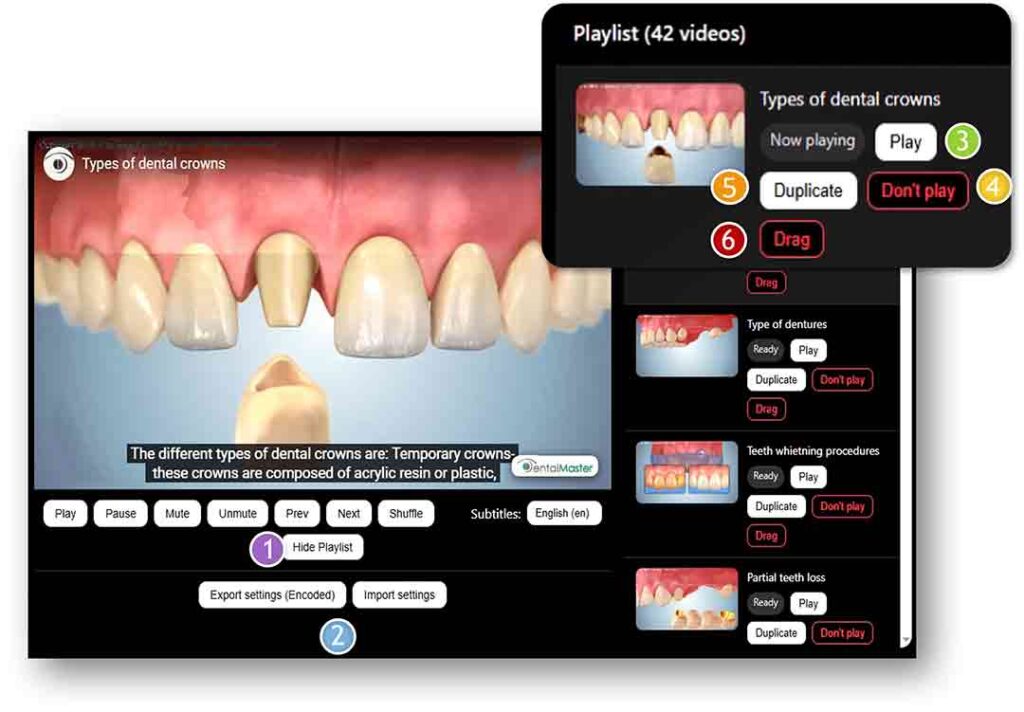
You can control your Playlist with the many buttons provided:
Hide Playlist.
Export / Import Player settings. (For additional Screen if you have more than one license)
Play video now.
Don’t play video.
Duplicate video.
Drag – change playlist order.
Options
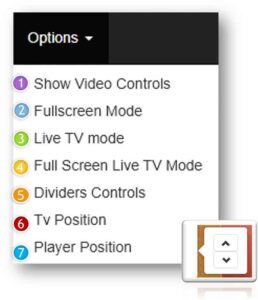
Show / Hide Player controls (more on Slide Player).
Press Esc to exit mode (Like in YouTube).
Show / Hide TV Streaming.
Show only TV or Player.
Control position of divider (the line in the middle of the screen).
Move the TV up or down.
Move the Player up or down.
Getting started - Setting
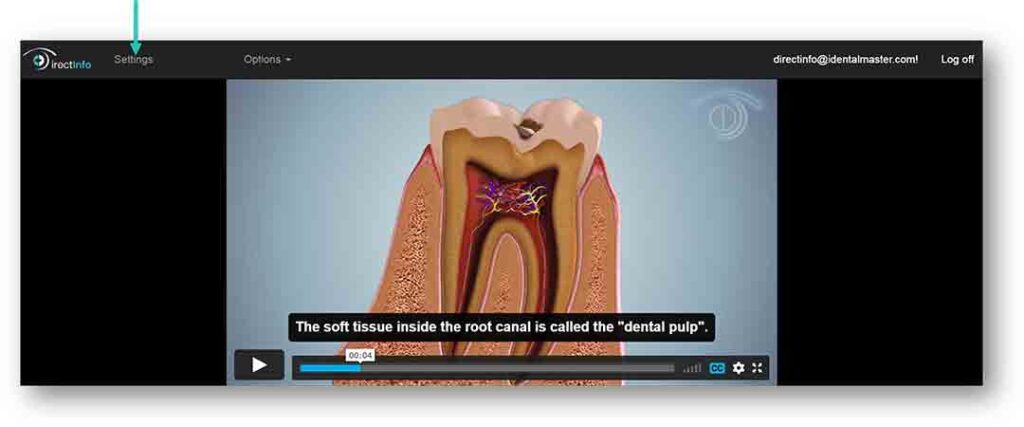
Click “Settings” for other options.
Settings Menu
Click the logo DirectInfo to go back to the Main Screen.
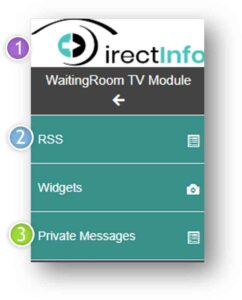
Choose source of News RSS to run on bottom of the Main Screen in-between your messages.
Create messages to be insert for your patients at the bottom of the Main Screen.
RSS - Settings
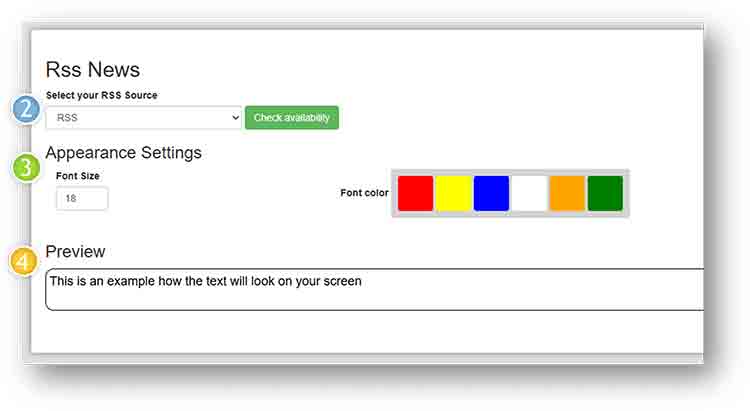
Select your RSS Source.
Select Font Size and Font color
Preview of how the text will look on your screen
The RSS and Privet messages will alternate on the screen. First your message then RSS.
Private Messages - Settings
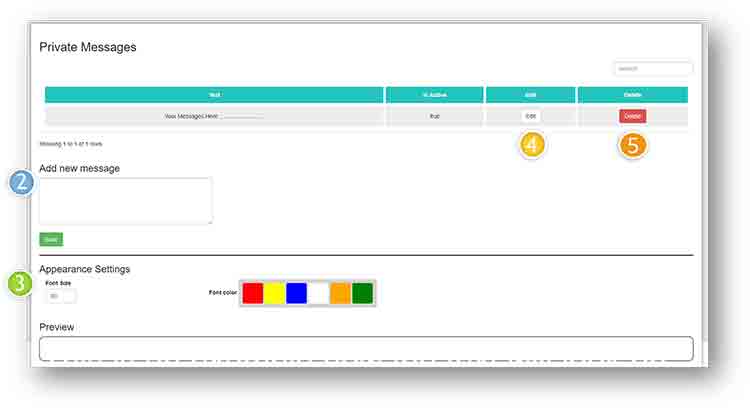
You can add your own messages shown to scroll at the bottom of the Main screen.
Go to settings, then click “Private Messages”.
Write a message then click ‘save’ to add the message.
Change appearance of the message.
Edit a message with the ‘Edit’ button.
Remove a message with the ‘Delete’ button.
TV
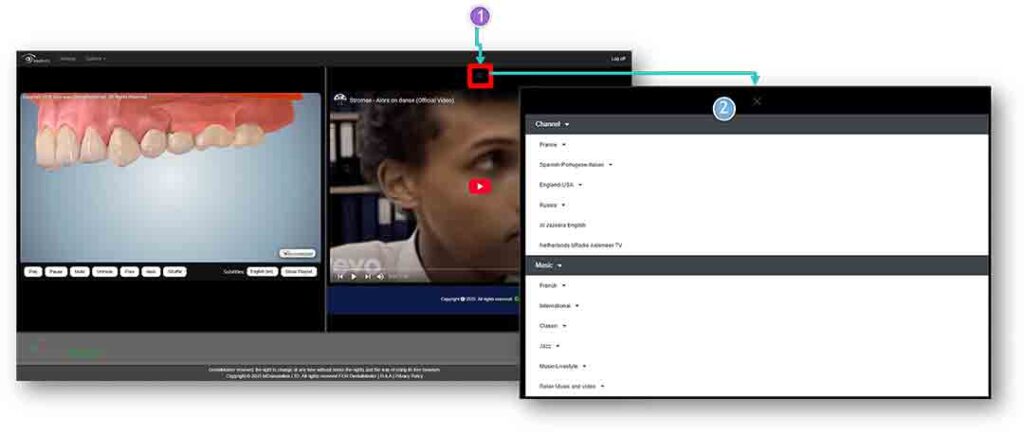
Click on the Menu
Chose from the many options
Difference between Light and Premium
DirectInfo Light gives you the essential waiting-room video experience. If you’d like to show custom image slides (e.g., your doctors, promotions, opening hours), our team can add them for you for an additional fee. Displaying MedReviews is also available as a paid add-on. For full control—including unlimited self-service image uploads between videos and built-in MedReviews—upgrade to Premium.
How to automate the launch
of the DirectInfo application for Windows or Android
This is a suggestion. We are not responsible for the operation or installation of these modules or any damage it may cause .
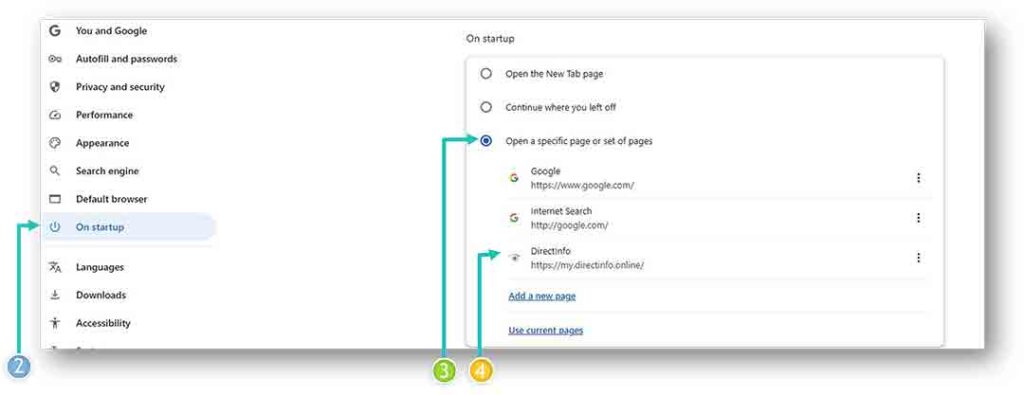
First Open Google and set the page of you App to be the default page
Go to Google chrome setting
Click On Startup
Select “Open a specific page or set of pages”
Insert the App URL in the field or select current pages if the App is Open in Google chrome
Setting Task Timer- For Windows
If You do not want to turn the app on and off every day manually, you can set a timer when to start and when to turn off automatically.
Step 1: Open Task Scheduler Press Windows Key + S and type Task Scheduler. Open Task Scheduler.
Step 2: Create a Task to Open the Website In the right panel, click Create Basic Task Give it a name, e.g., Open My Website. Choose how often you want it to run (Daily, Weekly, etc.). Set the Start Time (the time you want the website to open). In the “Action” step, select Start a Program. In the Program/script box, enter the path to Chrome, for example: “C:\Program Files\Google\Chrome\Application\chrome.exe”
Setting Timer- For Android
Download MacroDroid (simpler than Automate): Install MacroDroid (free for up to 5 macros).
Create a new Macro to launch Chrome: Trigger → “Clock” → choose the time (example: 9:00 a.m.). Action → “Applications” → “Launch Application.” Select Google Chrome as the application.
(Optional) Create a second Macro to close Chrome: Trigger → “Clock” → 10:00 a.m. Action → “Close application” → Google Chrome.